On this page
Zoho is not one API. It is roughly fifty products that grew up separately, and anyone who has integrated more than two of them knows exactly what that means: a different authentication dance per product, a different host, a different idea of where the organisation id belongs, and documentation that occasionally disagrees with itself.
Every team building on Zoho re-solves those problems, product by product. We decided to solve them once. The result is zone, a free and open-source command line tool that puts 64 Zoho services and 9,432 typed commands behind a single login — and we have published it on npm for anyone to use.
Why a unified CLI was worth building
The friction is not in any single Zoho API. Each one, on its own, is reasonable. The cost comes from the seams between them.
Authentication is per product. Every service has its own OAuth scope vocabulary, and the naming is inconsistent even within a single product. Zoho also validates scope names only after you sign in, so one wrong string rejects the entire consent screen rather than the single scope that was wrong. Debugging that by hand is a slow afternoon.
Hosts multiply. The CRM lives at one domain, Desk at another, Projects at a third, ZeptoMail at a fourth — multiplied by ten datacenters, because a Zoho account in the UAE, India, or Canada does not talk to the same servers as one in the US. Some products do not exist in some regions at all.
Conventions collide. Zoho Books scopes every call with an organisation id in the query string. Zoho Desk expects it as a header. Zoho Projects puts a portal id in the URL path. Some DELETE endpoints require a JSON body. Some updates are POST rather than PUT. Zoho Sheet routes more than a hundred operations through a single endpoint behind a method parameter.
None of that is hard. It is just endless, and it has to be rebuilt in every integration, script, and internal tool. A unified CLI turns it into someone else's problem — ours.
What zone actually does
Install it once and authenticate once:
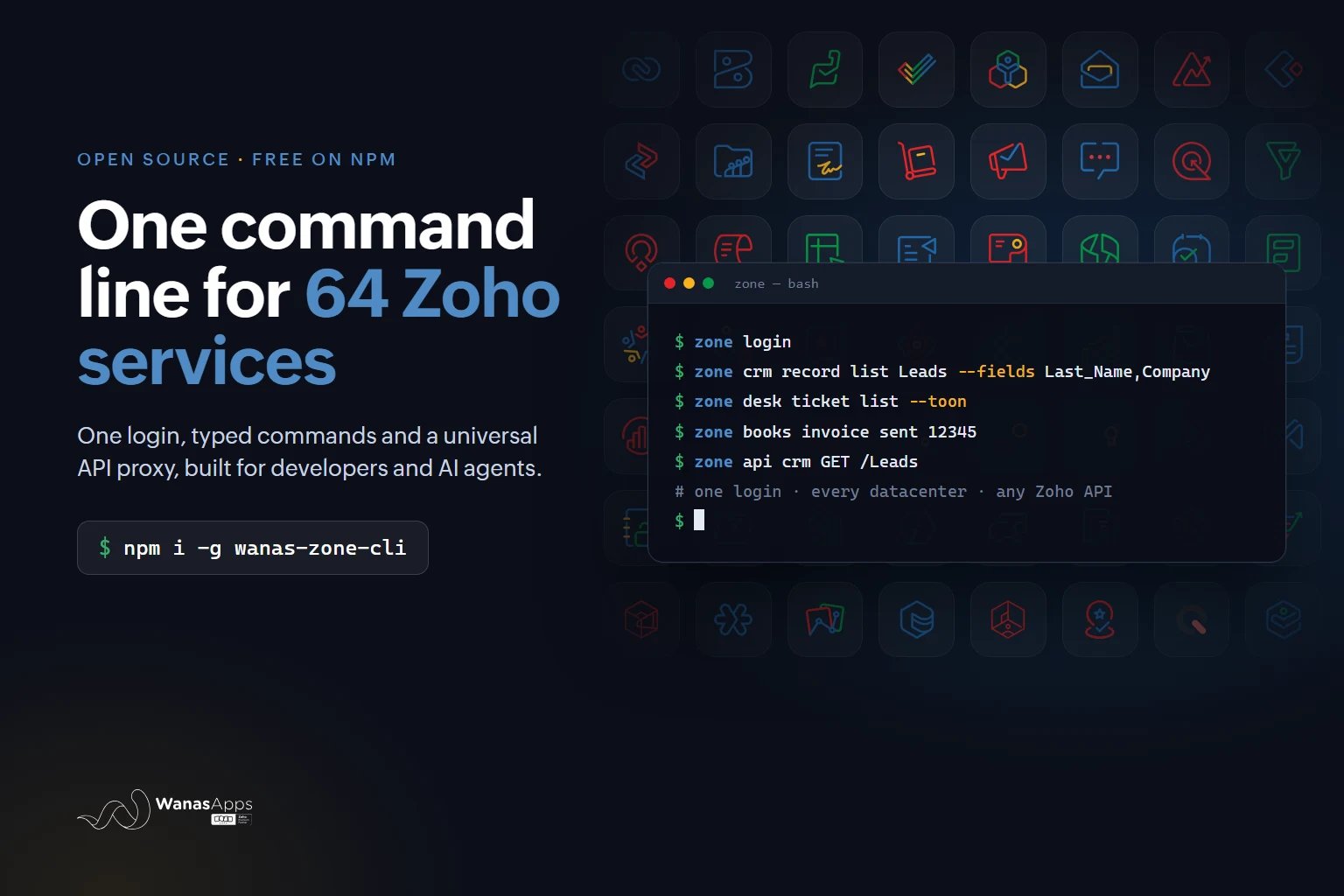
npm install -g wanas-zone-cli
zone login
From there you drive any Zoho product two ways. Typed commands cover the documented surface and handle bodies, pagination, downloads, and the per-product quirks for you:
zone crm record list Leads --fields Last_Name,Company
zone desk ticket list --toon
zone books invoice sent 12345
And a universal proxy reaches anything not yet typed, still with authentication and datacenter routing handled:
zone api crm GET /Leads --query fields=Last_Name,Company
Coverage is measured against Zoho's own documentation rather than asserted. Thirty of the forty-four services now cover 100% of their officially documented API surface. Where Zoho publishes a machine-readable specification — the finance family ships OpenAPI documents, and there are public specification repositories for WorkDrive, Analytics, Lens, and Assist — the commands are generated from that specification rather than transcribed from prose, which removes a whole class of human error.
One detail that matters more than it sounds: sessions are per project by default. Running zone login inside a client repository writes a local session that the tool discovers the way git discovers a repository, walking up from the current directory. Each project directory can hold a different Zoho identity, so moving between two clients does not mean logging out and back in. Session files are permission-restricted and self-ignoring in git, so tokens cannot be committed by accident.
The part we did not expect: the documentation itself
Building complete coverage meant reading Zoho's published documentation for every service, and that surfaced a genuinely surprising number of defects — not in Zoho's APIs, which mostly work fine, but in how they are described.
Internal routing patterns had leaked into published specification files, so several documented paths could never have been called as printed. Placeholder values had been swallowed by the documentation platform, leaving paths with an empty segment where an identifier belonged. Several pages contradicted their own code samples about which HTTP method to use. One product documented the same permission under two different spellings on two different pages.
Each of those is a small thing that costs a developer twenty minutes and a support ticket. Encoding them once, in a tool, means the next person never meets them.
Built for AI coding agents
The reason this matters right now is that a growing share of Zoho integration work is being done with AI assistance, and Zoho is a genuinely difficult target for an AI agent.
Point a coding agent at a Zoho task without tooling and the failure modes are predictable. It hand-rolls an OAuth flow, or asks you to paste a token that expires within the hour. It guesses REST paths and API versions, then loops on 404 responses. It invents field names that look plausible and silently fail to write. It builds a US host for an account that lives in the UAE.
A typed, self-documenting command surface removes all four. The agent runs zone <service> --help, then zone <service> <group> --help, and discovers the real commands and flags instead of guessing. Output is available as JSON or the more compact TOON format, errors arrive as structured objects with a machine-readable hint, and exit codes distinguish "you are not authenticated" from "your plan does not include this feature" from "you used the wrong field name" — so the agent can correct itself rather than retry blindly.
There is also a command that installs the usage guide directly into whatever tool you use:
zone skill --ide claude
That writes the guide where your agent already looks. Nine targets are supported, including Claude Code, Cursor, Windsurf, GitHub Copilot, Cline, Gemini, and the AGENTS.md convention used by Codex and others. No plugin and no separate server to run.
Crucially, the boundary stays in the right place: signing in requires a browser consent that a human must complete, so an agent can read and act but cannot authorise itself.
More than REST
zone also covers the parts of Zoho development that are not simple API calls. It can push, pull, and test Deluge functions directly from your editor, and it can extract a CRM organisation's complete metadata — modules, fields, picklists, layouts — to disk. That last one solves the single most common cause of silent write failures: guessing a field's API name instead of reading it.
Alongside zone we publish two companion packages: wanas-zcrm-extractor, which produces a structured snapshot of a CRM organisation's schema, and @wanasapps/zcrm-core, the host-agnostic library underneath both.
Use it
All three packages are free, open source, and on npm:
- wanas-zone-cli — the unified CLI
- wanas-zcrm-extractor — CRM metadata extraction
- @wanasapps/zcrm-core — the shared core library
npm install -g wanas-zone-cli
zone login
zone --help
Full details, the command inventory, and the AI agent setup guide are on the zone CLI page.
We built this because we needed it. As a Zoho Premium Partner delivering Zoho CRM and custom Zoho Creator work across the UAE, Egypt, and the wider MENA region, our own engineers were losing hours to the same seams every week. Open-sourcing it costs us nothing and saves everyone else the same hours.
If you build on Zoho — as a partner, an in-house developer, or an administrator who lives in a terminal — it is one npm install away.